
There are a number of ways to get free website hosting in a no-nonsense, no adverts way. In this series of posts I’m going to take a look at a few.
I’m only considering systems that can offer hosting for static websites. No server side programming languages (PHP, Python or ASP.NET), just HTML, CSS and JavaScript.
First up, is GitHub Pages…
Just edit, push, and your changes are live.
– GitHub
A lofty promise, is it that easy?
Getting started
Step 1: Login or create an account
Firstly you will need a GitHub account. If you don’t already have one, you can join for free: https://github.com/join.
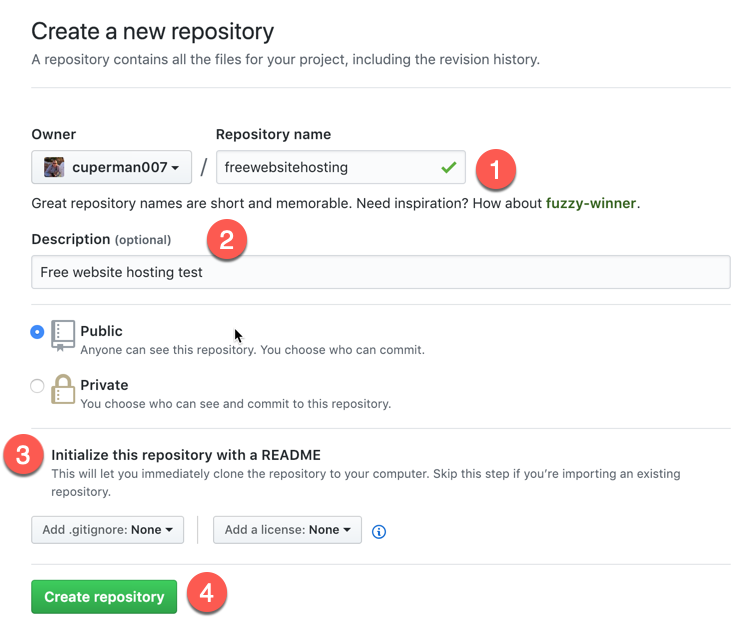
Step 2: Create a new repository
- Select
Repositoriesand thenNew

- Enter a Repository
nameanddescription - Select
Inititialize this respository with a README(always document!!) - Click
Create repository
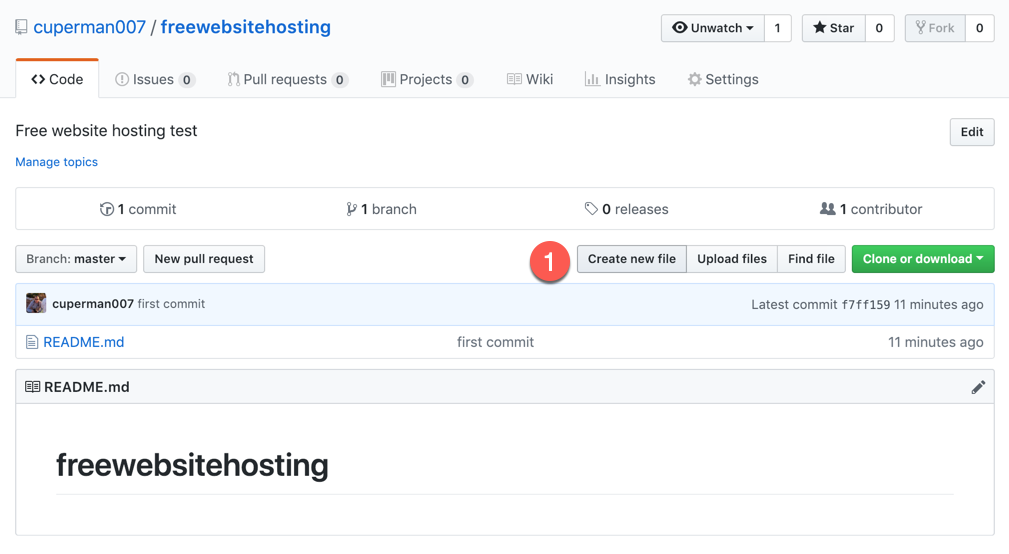
Step 2: Create an index file
- Click
Create new file
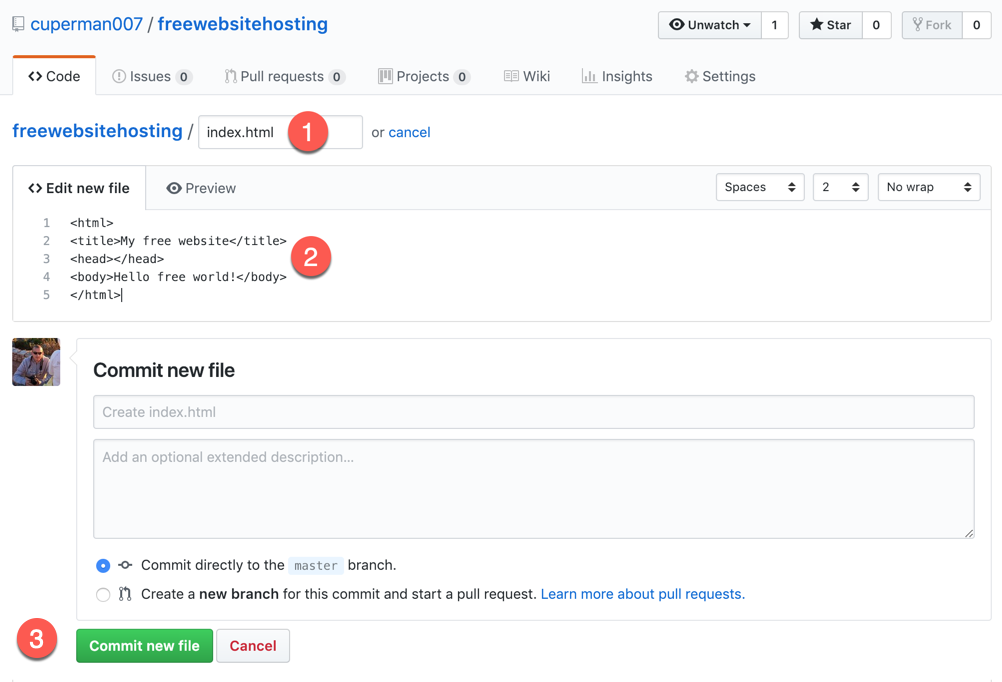
- Enter
index.htmlas a file name - Enter some simple HTML
- Click
Commit new file
Step 3: Change settings
- Select Settings

- Scroll down to GitHub pages section
- Select master branch and click Save

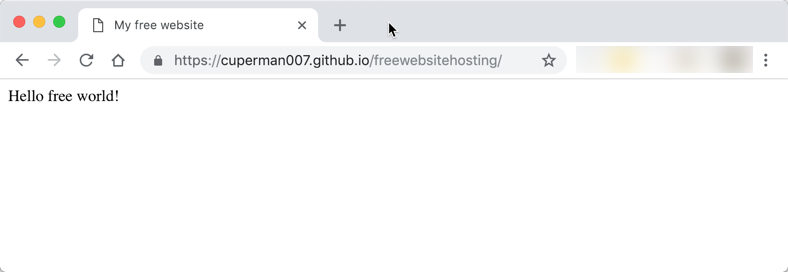
- When the page refreshes scroll down and the website URL will be displayed

- Just click the link to open your free website
Summary
In summary this is a very straight-forward way of creating a static website. A static website can contain web pages, CSS files, images and JavaScript (including calling dynamic services). A static site cannot contain any code that needs to be processed by a web server (e.g. PHP, ASP, Python etc).
Static sites can be very simple, or very complex, and there are a number of great quality site generators that can be used in conjunction with GitHub Pages, for example Jekyll or MkDocs.
GitHub pages also supports dynamic mapping of a custom domain name without charge.
Next up – Part 2 – Azure Web Apps


Leave a reply to Beckys Bucketlist Cancel reply