
When you create a new DevOps project, you only get one Git repo. It is possible to create more repos within the project, but not immediately obvious how. There are a couple of options;
Navigate to Repos, hit the drop down and select Manage repositories

Or…
Open the project and go to Project settings| Repositories | New Repository

Permissions
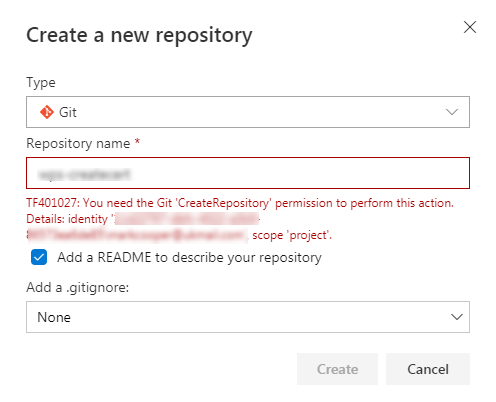
You will need CreateRepository permissions to complete this.
 Mark Cooper
Leave a comment